Introduction
This lab from Pwnedlabs is one of their beginner friendly CTF style labs, where you are looking through findings within the AWS Security Hub console.
Like all of Pwnedlabs' labs, there are walkthroughs included. I have tried to avoid using the walkthrough unless I became incredibly stuck, so all of the steps I took in my investigation are my own.
Scenario
On your first day as a security analyst at Huge Logistics, you activate AWS Security Hub. The next day you are met with a detailed dashboard, revealing a myriad of potential risks within the AWS infrastructure. Use this service to identify risks and help improve their security posture!
Initial Look
After logging in and navigating to the Security Hub dashboard, we are greeted with a number of findings ranging from Low all the way up to Critical, as well as our environment graded against some well known security standards.
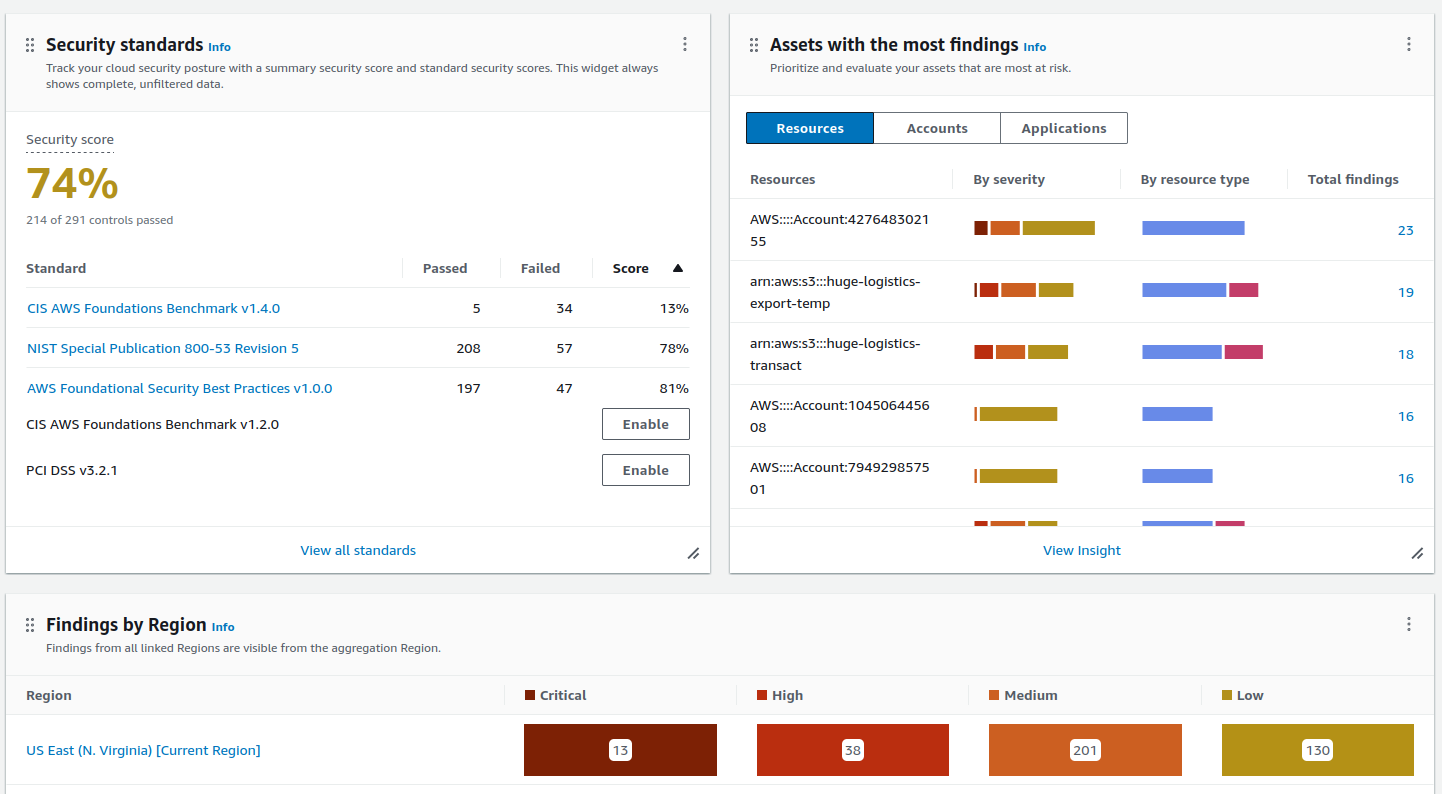
From a cursory glance, there are a number of things that need improving, and the priority should be triaging the critical findings first.
Critical Findings
Unrestrictive Access To High Risk Ports
The first five findings listed as critical have the title of Security groups should not unrestricted access to ports with high risk. This is quite descriptive, and most should be able to work out this is not ideal. Basically, a security group has been configured that allows access to a high-risk service from any IP address.
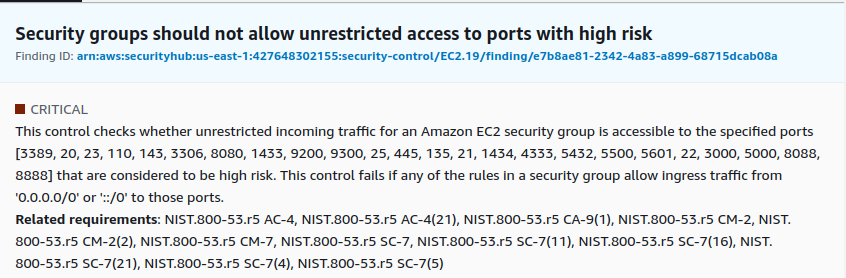
Let's dig a little deeper...
All Ports Open
The first in the list is a more critical one in that it allows all ports (0 to 65535) to be accessed from any IP address. This could be quite dangerous if this security group was attached to a public facing EC2 instance where services hadn't been configured or secured correctly.
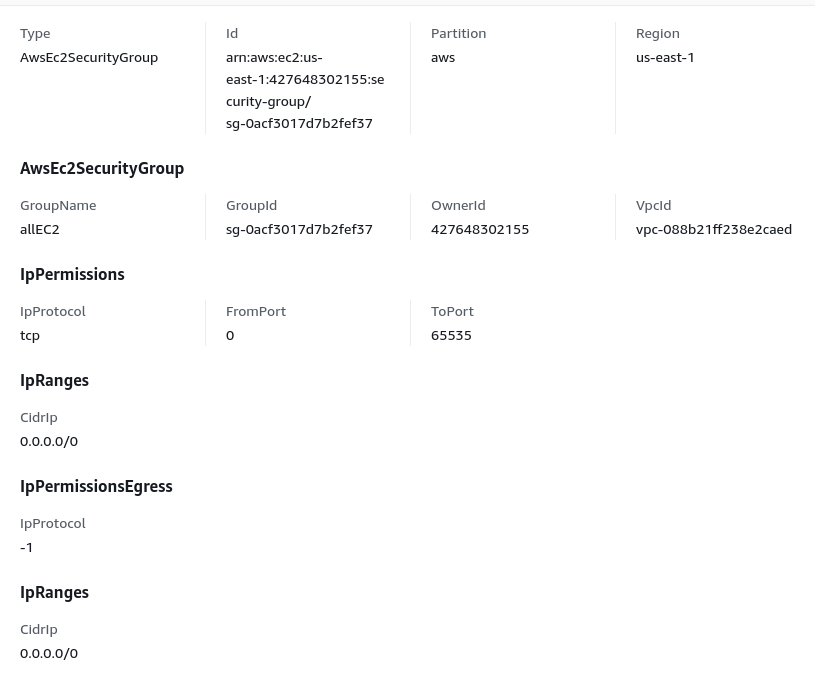
A reasonable solution for this would be to restrict the security group's access to services that need to be available publicly, reducing the attack surface being presented, and, if possible, only allowing access to a known set of IP addresses. Services like webservers are typically made available for public consumption, which may make it difficult to be restricted. In this case, having the correct monitoring and alerting in place should help to ensure anything malicious is caught.
SSH Publicly Accessible
Three out of the five findings are for launch configurations which make SSH available to anyone. The resource appears to have the default name (launch-wizard-*) meaning a user may have created an EC2 instance using the launch wizard using the default settings. The details of which can be seen in the below screenshot.
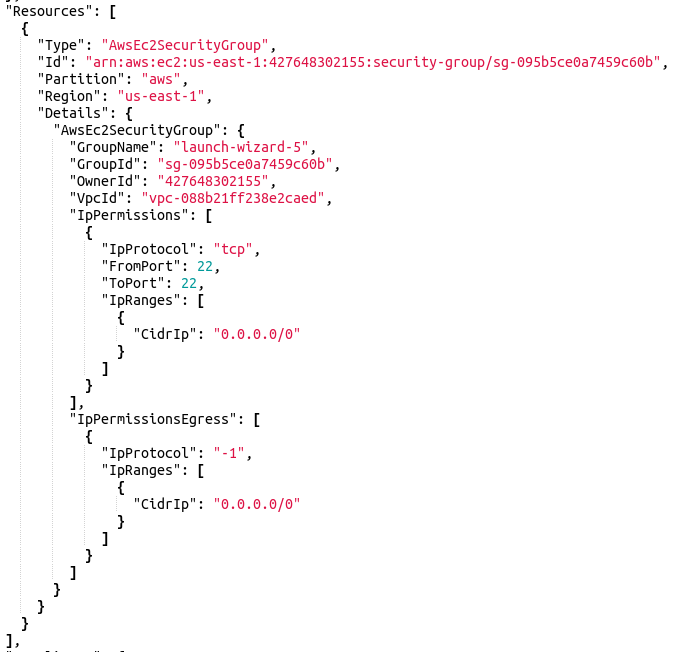
The solution for this is to restrict SSH access to only a subset of known IP addresses; even if this service is accessed from internal hosts. By restricting this access, you are reducing your attack surface through new vulnerabilities and brute-force attacks.
RDS Publicly Accessible
This is an interesting finding in that an RDS database is accessible via the public internet, which in reality should never happen. This is a service that attracts a lot of attention in the form of brute force attacks. These attacks could put a strain on the resources available to the database and/or fill up the disc with failed access attempts.
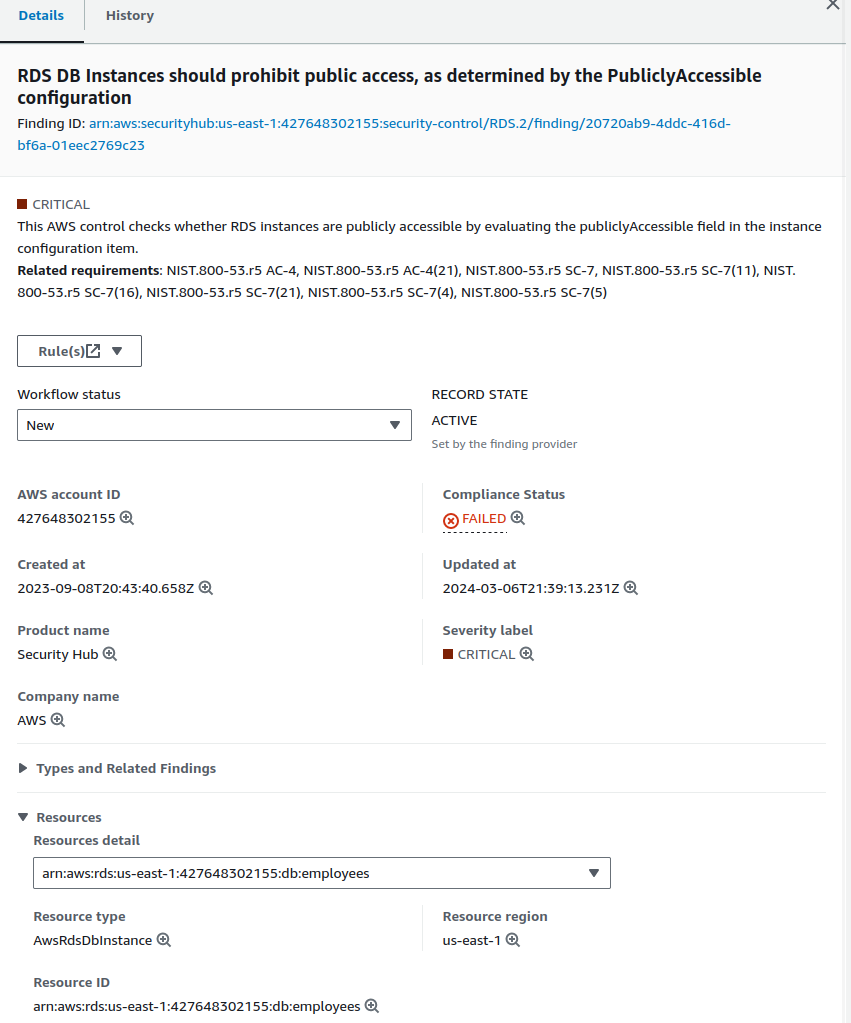
What makes this more concerning is the name of the database employees. Going just by the name of it, there's a chance it contains sensitive information regarding employees of the company, which should be private.
The solution would be to place the RDS instance into a private subnet of a VPC with Security Groups controlling what services are able to connect to the instance.
Publicly Accessible S3 Buckets
A couple of S3 buckets within the account have had their settings set in such a way that the contents of the buckets can be viewed by anyone on the internet.

One of the buckets in the list has the bucket name of huge-logistics.com. This tells me this is likely a bucket that is being used to host a static website, and probably not one to worry about. It's not possible to view the properties or permissions on the bucket to know if there are any further problems than just the contents of the bucket being publicly accessible.
The other bucket, on the other hand, is a little more concerning. This one goes by the name huge-logistics-export-temp. This account has been given access to view the content of this bucket, and it contains a set of access keys, software licence keys, and the flag to this lab.
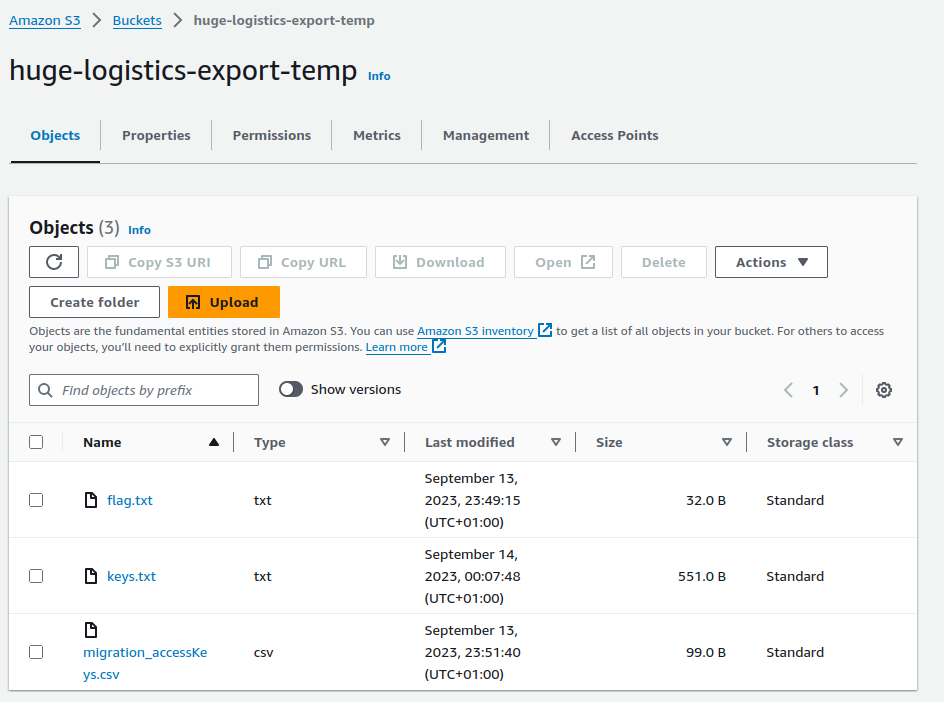
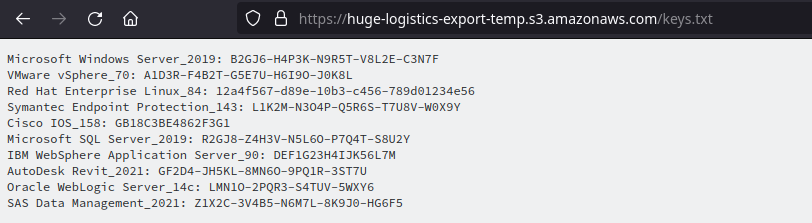

The file named migration_accessKeys.csv appears to contain some valid access keys.
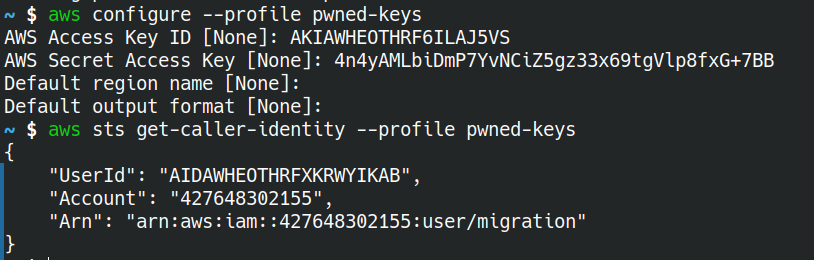
Other Critical Findings
- Root account with access keys: The root account should only be used when first setting up the account, or in an emergency. Having access keys to the god account is not advisable, as it gives someone unfettered access to your account.
- Hardware MFA should be enabled for the root user: Ideally, the root account should have some sort of hardware key to be used as another factor of authentication. Something like a Ubikey would solve this issue.
- EBS snapshots are publicly restorable: EBS snapshots should not be available to anyone as they could contain sensitive company information and deleted files.
Conclusion
This lab demonstrates a number of the common misconfigurations when it comes to usage of the cloud, not just AWS like this lab portrays. All environments can be configured in an insecure fashion.
Within AWS' security hub, you'll find a link to a page that walks you through the possible ways in which you can remediate the alert.
Another tool is the AWS Well Architect Framework - Security is a good start when it comes to evaluating your cloud environment. Using this framework should help you to build more secure environments.