Introduction
Natas is another of the wargames on offer by Overthewire. This CTF looks at the basics when it comes to server-side web security, where you need to find the password to progress on to the next level.
Looking at WeChall, this CTF was first solved around February 2013, making it over 11 years old (at the time of writing) and probably one of the first of its kind. Likely paving the way for the current TryHackMe and HackTheBox.
In this walkthrough, I will go through how to complete the first 5 levels without revealing the passwords as per the rules.
If there are multiple ways to get the answer, I will try to show them off where possible.
So, let's get started...
Level 0 -> 1
Web Browser
The only hint you are given with this one is:
You can find the password for the next level on this page.
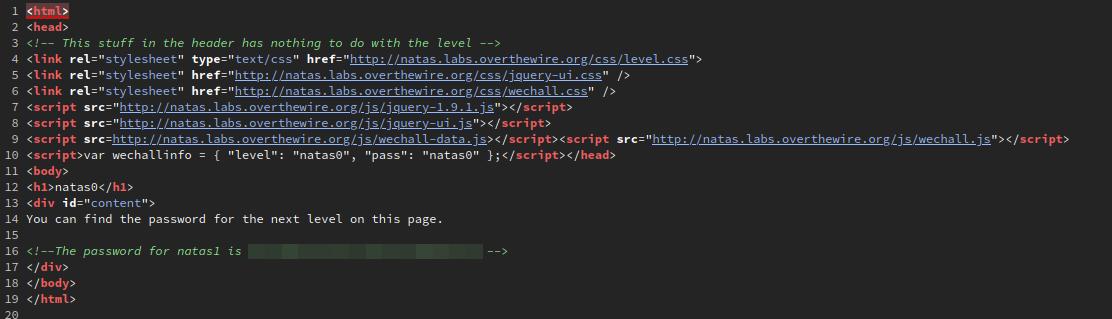
But where? Let's take a look at the page source. Right click anywhere on the page and select the View Page Source option. This will open up a new tab showing the page's HTML source code and the password in an HTML comment.
curl
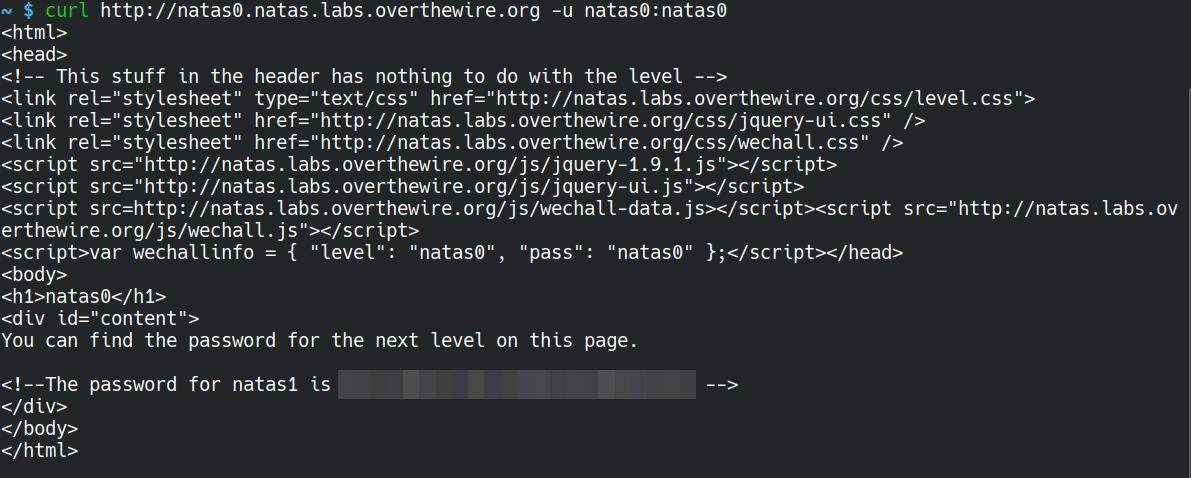
curl is a command-line tool found on most *nix systems for interacting with web services. It can also be used for this challenge.
curl http://natas0.natas.labs.overthewire.org -u natas0:natas0
Level 1 -> 2
Web Browser
Upon logging in with the credentials found in the previous level, we're greeted with a message stating that "right click has been disabled". Which is true to an extent. Because the page is quite small, it doesn't take up the whole window. If you were to click on the part of the page where the text is, you would get a JS alert stating just that.
However, if you were to click a little further down the page, you could open up the same right click menu as before to view the password. Or if you're using Firefox, then you can press Ctrl + u to open the HTML source.
No need for an image for this one...
curl
Just like in the previous level, we can use curl to gain access to the HTML source without even seeing that pesky little JS alert.
curl http://natas1.natas.labs.overthewire.org -u natas1:<password>
Level 2 -> 3
The steps for the web browser and using curl are pretty similar. I won't show the curl steps in this, as it's pretty much the same process, just using a different tool.
Loading up the site, we are greeted with a message saying:
There is nothing on this page
For starters, that's incorrect, as there is something on the page, but let's not argue semantics. Let's take a look at the source.
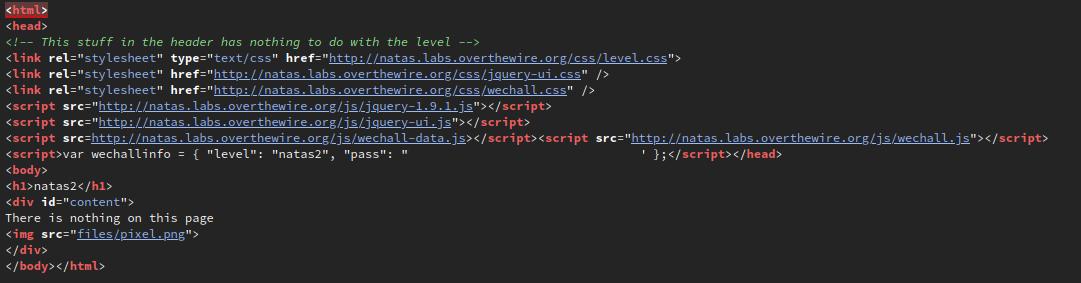
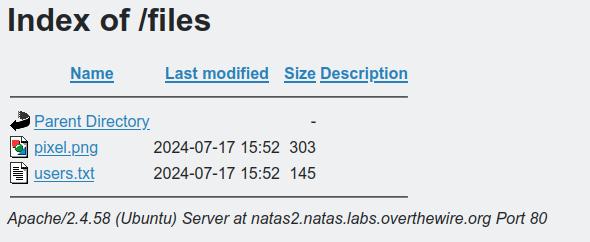
Interesting, there's a file included on the page, files/pixel.png. One thing that often goes unnoticed when setting up a web server is restricting access to folders, so let's try it by navigating to http://natas2.natas.labs.overthewire.org/files.
BINGO! There's an interesting file named users.txt, and within is the password for the next level, along with some other usernames and passwords.
Level 3 -> 4
Just like the previous level, we're greeted with the message of:
There is nothing on this page
Okay, let's take a look at the source for this page again. There's an interesting comment:

But what could that mean? How will Google not find it? This is where the robots.txt file comes into play. When this file is placed at the root of the web server, it can contain information that search engines use to know what pages are off limits to their crawling, and in this case, the folder s3cr3t is restricted.

Navigating to http://natas3.natas.labs.overthewire.org/s3cr3t, we can see another users.txt file, which yet again contains the password for the next level.
Level 4 -> 5
Well, this is an interesting message:
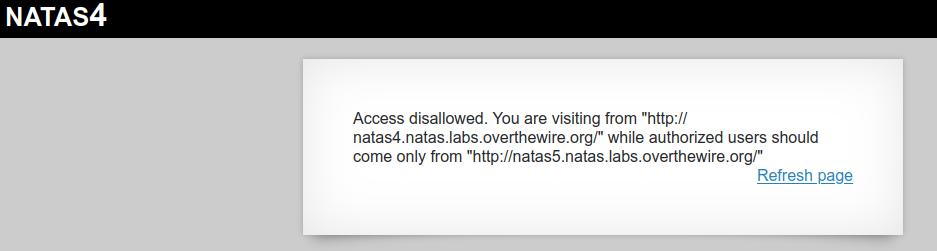
It looks like we can only view this page if we're coming from the next level, but how? We don't have access to that yet. Let's take a look at a couple of ways we can trick the page into thinking we're doing just that.
But first, how will we achieve this? What we need is the Referer HTTP header to be sent with our request. This tells the webserver where a request might have originated from.
Web Browser
There are multiple ways to do this with the web browser. They range from browser plugins to using intercept tools such as Burp Suite. But the same result can be achieved in most browsers (as far as I am aware). The steps I'm going to describe work for Firefox; I haven't tested the others.
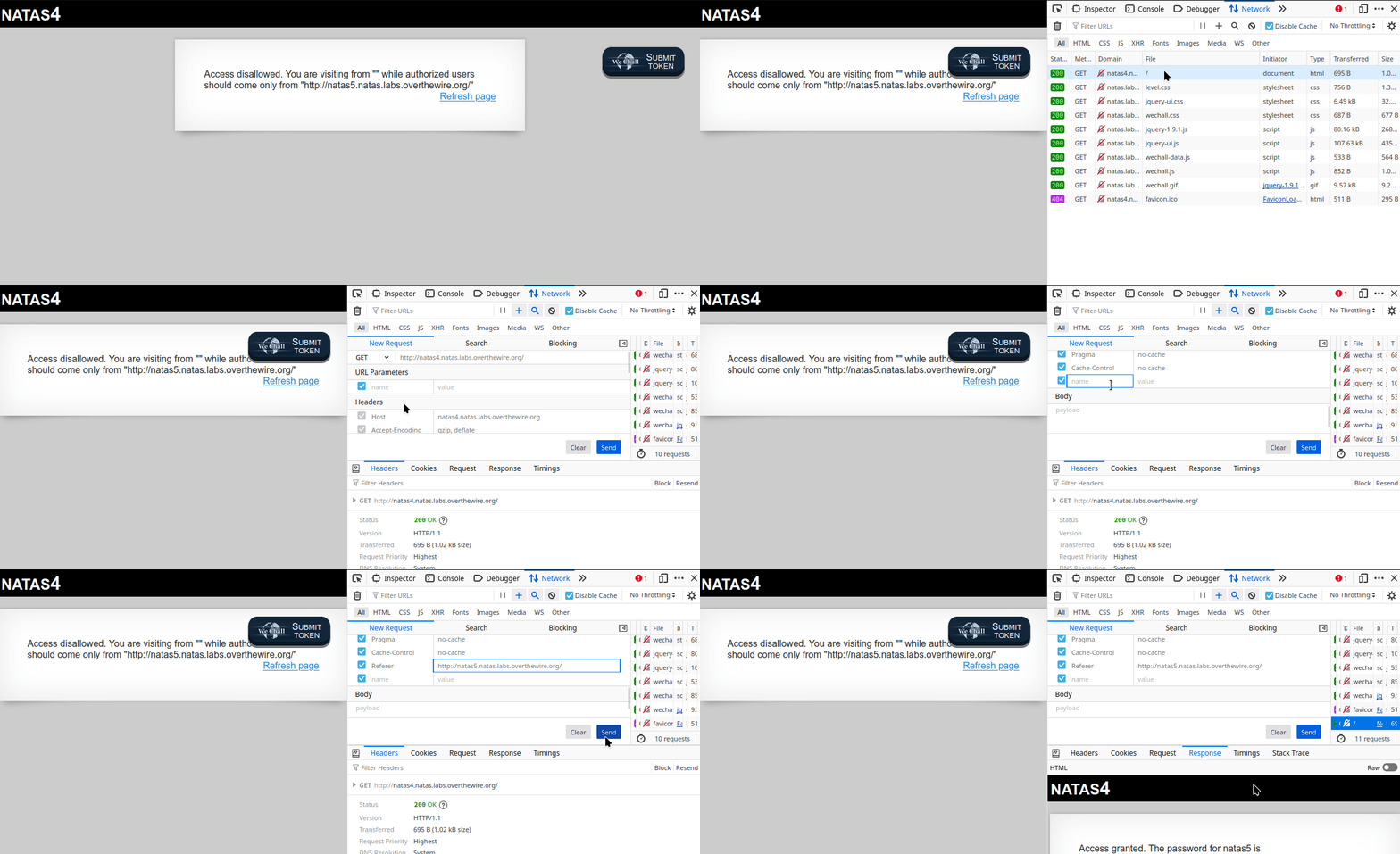
The first step is to navigate to the page and log in. Once the page has been loaded, press Ctrl + Shift + E to bring up the Network development tools. From there, follow the steps in the gif below:
curl
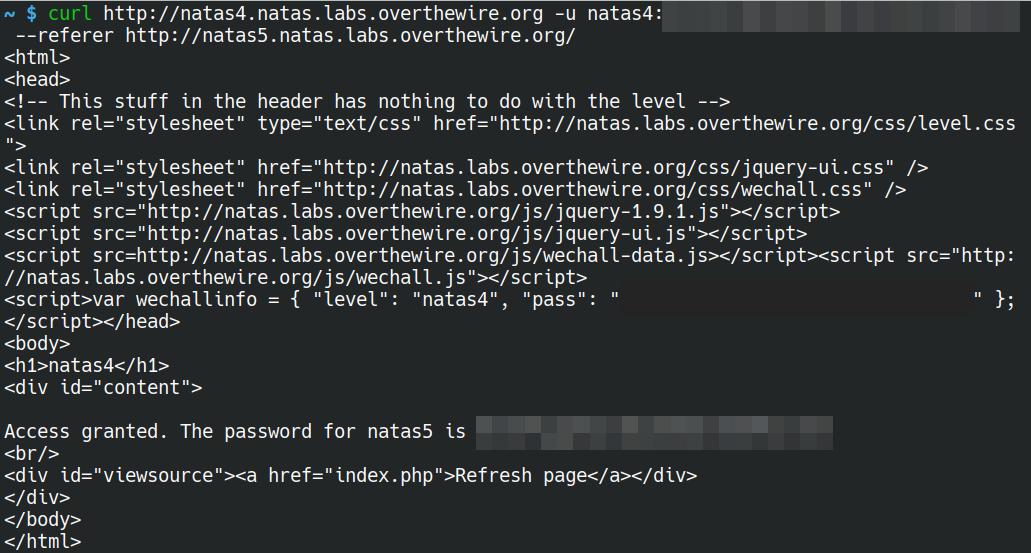
Believe it or not, using curl for this one is probably the easiest and quickest. By using either the --referer or -e flag and http://natas5.natas.labs.overthewire.org/ as the argument, we are able to quickly grab the password for the next level.
curl http://natas4.natas.labs.overthewire.org -u natas4:<level 4 password> --referer http://natas5.natas.labs.overthewire.org/
Level 5 -> 6
Once you've logged in using the credentials gained in the previous level, we're greeted with a message saying:
Access disallowed. You are not logged in
But wait, we just logged in, so how can we not be "logged in"? The source code doesn't give us any clues, so what could we be missing? Typically, login sessions are stored in either sessions and/or cookies. So let's take a look at the cookies that are set. Opening up the storage tab in the developer tools of Firefox, we can see a cookie with the name of loggedin with the value of 0.
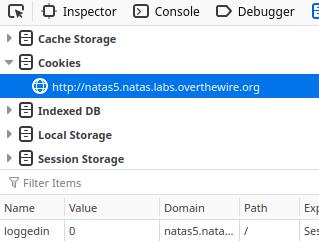
Let's look at a couple of different ways we can alter the value of the cookie...
Web Browser
These steps work in Firefox, your browser of choice maybe different.
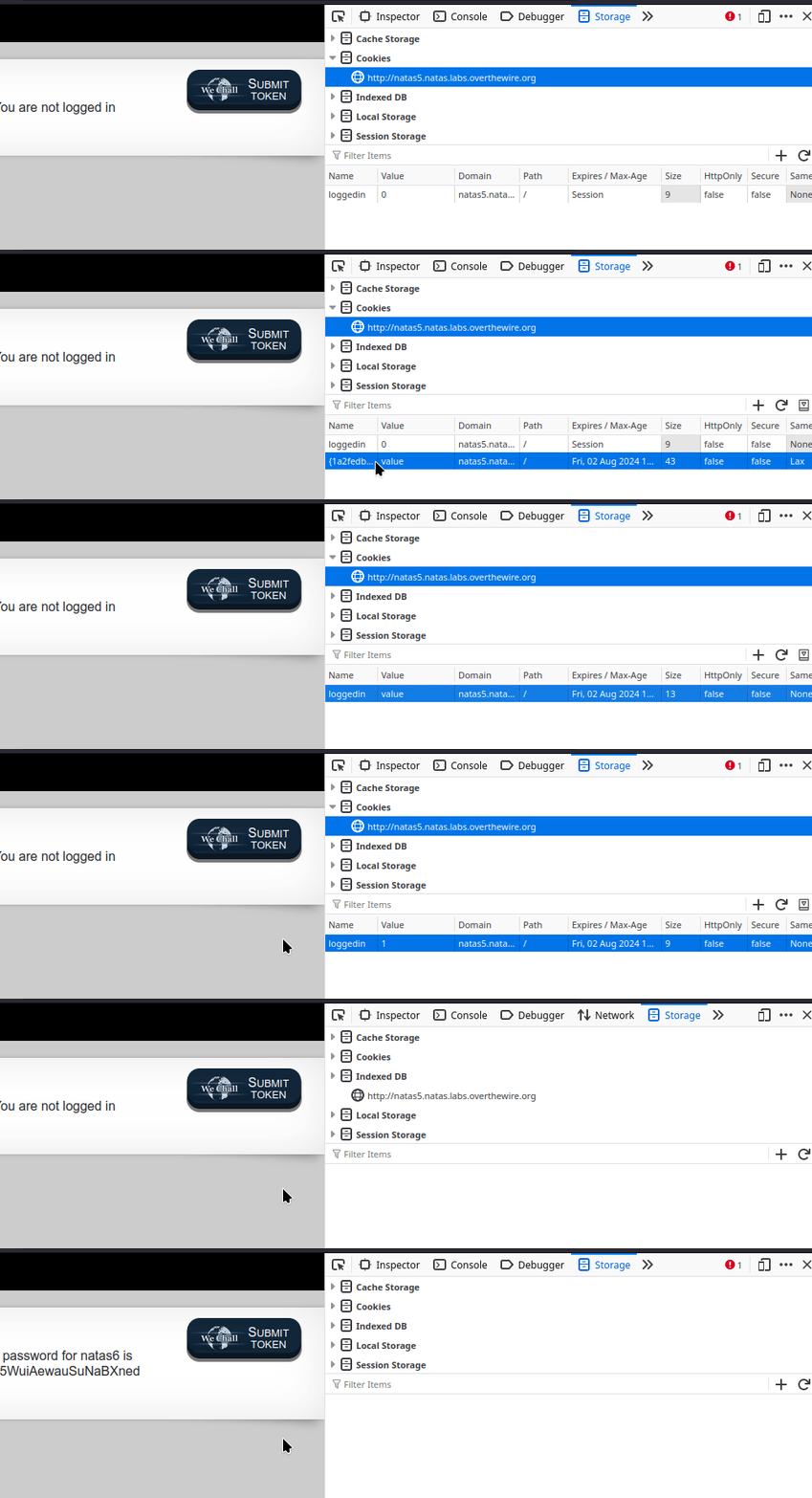
It's not quite clear in the gif, but once you have set the cookie to the correct value, you will need to refresh the page.
curl
curl can be used to get the password for the next level with incredible ease. Just like the previous level, we are able to use one of the many flags to send data as part of our request. Using either --cookie or -b (yeah, intuitive, right?), we are able to set a key/value pair that is sent as part of the request.
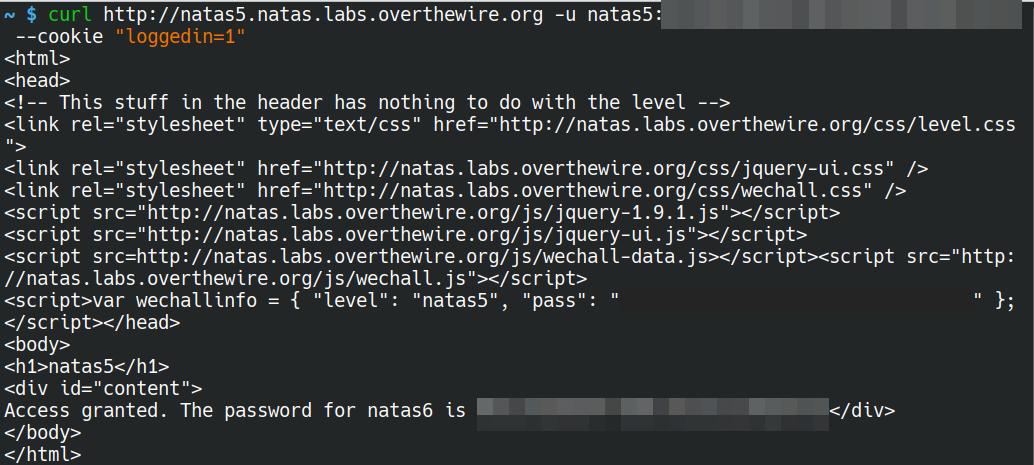
curl http://natas5.natas.labs.overthewire.org -u natas5:<level 5 password> --cookie "loggedin=1"